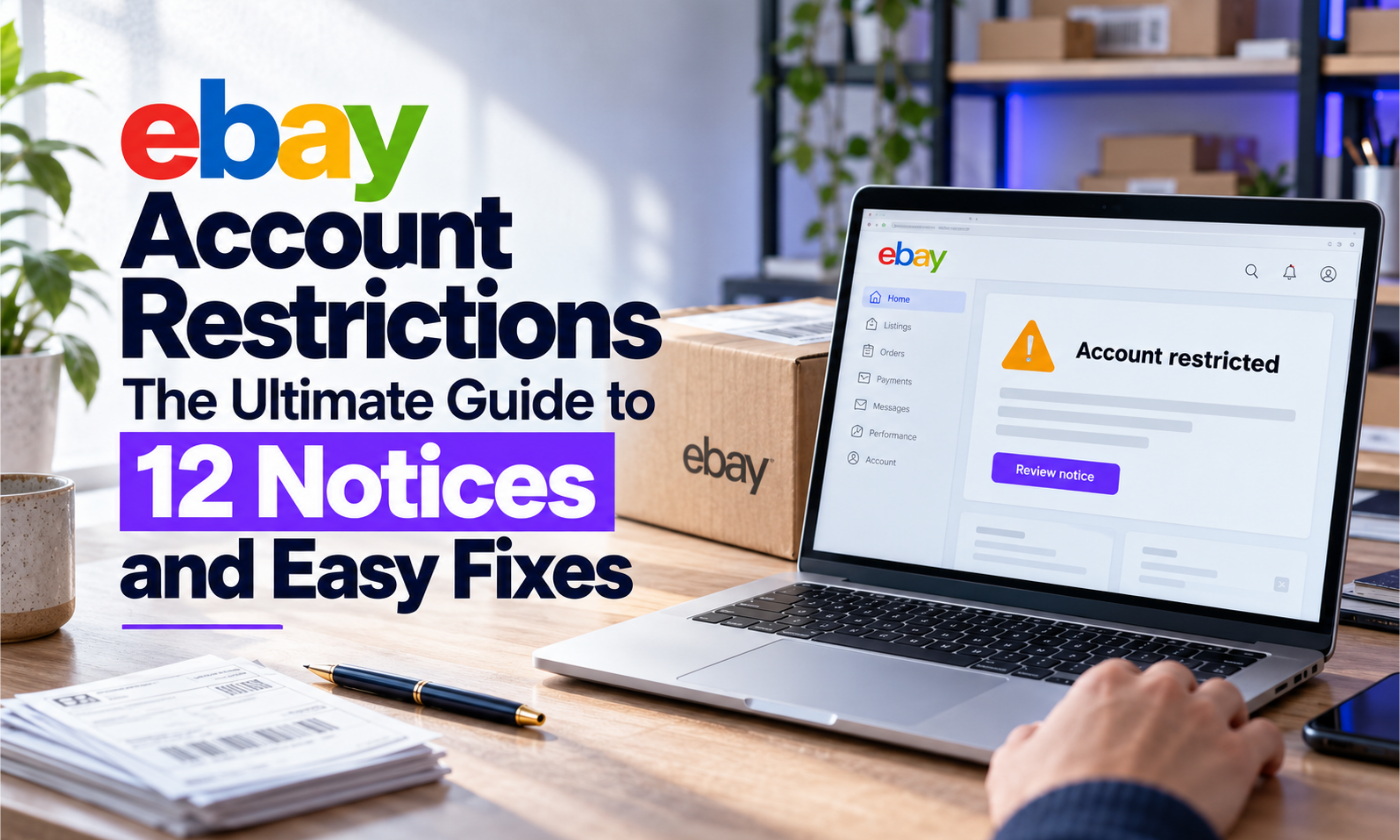
eBay Account Restrictions: The Ultimate Guide to 12 Notices and Easy Fixes
eBay account restrictions explained for Amazon-to-eBay dropshippers. Decode every MC notice, fix limits fast, write winning appeals and protect your store.
 support@a2edropshipping.com
12 min read
On this page
- Table of Contents
- What Are eBay Account Restrictions?
- eBay Account Restrictions vs Suspensions: Know the Difference
- How to Check Your Current Account Status
- eBay Account Restrictions at a Glance: The MC Code Cheat Sheet
- MC011: The Most Common eBay Account Restriction for New Sellers
- Why Amazon-to-eBay sellers trigger MC011
- Documents you need to clear MC011
- How to write an MC011 appeal that gets read
- Payment and Payout Restrictions (MC027, MC172, MC068)
- MC067 VeRO Notices: Brand Complaints
- MC019: Item Location and Dropshipping Notices
- MC115 and Linked Account Suspensions
- MC999: High-Risk Suspension
- Performance-Based Restrictions: Below Standard Status
- The prevention stack we recommend
- Security Notices: Unusual Activity and Forced Password Resets
- Category and Listing-Level Restrictions
- Good-News Notices You Should Not Panic About
- How to Request a Selling Limit Increase
- A 7-Day Recovery Plan After Any eBay Restriction
- Common Mistakes That Make eBay Account Restrictions Worse
- How A2E Dropshipping Protects Your Account
- Frequently Asked Questions
- How long do eBay account restrictions last?
- Can I open a new eBay account if mine is restricted?
- Do VPNs cause eBay account restrictions?
- Will one VeRO notice suspend my account?
- What is the fastest way to avoid out-of-stock defects?
- Final Thoughts
eBay account restrictions are the number one reason new Amazon-to-eBay dropshippers lose momentum. One morning your listings are selling, the next you open Seller Hub and see a red banner, a frozen payout or a code like MC011 that nobody explained to you. The good news: almost every notice follows a pattern, and once you know the pattern you can respond calmly, fix the cause and usually get back to selling.
This guide is written for A2E Dropshipping customers and anyone running an Amazon-to-eBay store. We decode the 12 notices that matter most, show you exactly what to send eBay, and share the prevention system we use with our managed stores so you rarely see these emails in the first place.
Table of Contents
What Are eBay Account Restrictions?
eBay account restrictions are limits eBay places on what you can do as a seller. They range from mild (a lower selling limit) to severe (a full suspension). eBay applies them when its risk systems spot something unusual: a new account selling too fast, a change of IP or bank details, rising defects, late tracking or a rights-owner complaint.
Restrictions usually arrive in three places at once:
- Email to the address on your account, often with an MC code in the subject or footer.
- Messages inside My eBay, which is the copy you should trust (phishing emails copy eBay’s look).
- Seller Hub banners on the Overview and Performance pages.
Before acting on any email, log in to eBay directly (never through a link in the email) and confirm the notice exists in your eBay Messages.
eBay Account Restrictions vs Suspensions: Know the Difference
Sellers often use “restricted” and “suspended” as if they mean the same thing. They do not, and the difference changes how you should respond.
| Restriction | Suspension | |
|---|---|---|
| Can you still log in? | Yes | Usually yes, but cannot sell |
| Can buyers see your listings? | Often yes, or some are hidden | No, listings are ended |
| Typical cause | Verification, limits, metrics, payments | Serious or repeated violations, linked accounts |
| Typical length | Days to weeks | Weeks to permanent |
| Best response | Complete the requested step and fix the cause | One complete appeal, then wait |
Most eBay account restrictions are designed to be temporary. eBay wants active sellers on the platform; a restriction is its way of saying “prove you are safe before you grow”. Treat it as a checkpoint and respond with the information requested.
How to Check Your Current Account Status
When you suspect eBay account restrictions, check these four places in this order:
- My eBay > Messages > From eBay: the official notice and any requested documents.
- Seller Hub > Overview: selling limits, banners and tasks you must complete.
- Seller Hub > Performance > Seller level: your current and projected seller standard.
- Seller Hub > Payments: payout holds, verification requests and reserves.
Screenshot each page with the date visible. If you need to appeal or call eBay later, you will have a clear record of what changed and when.
eBay Account Restrictions at a Glance: The MC Code Cheat Sheet
Bookmark this table. It tells you how serious each notice is and the first action to take.
| Code / notice | What it means | Severity | First action |
|---|---|---|---|
| MC011 | Temporary selling restriction while eBay verifies you | High | Submit ID, address and bank proof |
| MC019 | Item location or dropshipping concern | Medium | Fix item location, review sourcing |
| MC027 / MC172 / MC068 | Payment or payout restriction | Medium to high | Update payout details, verify bank |
| MC067 | VeRO (intellectual property) removal | Medium, high if repeated | Delete the brand, audit listings |
| MC115 | Registration or linked account suspension | Very high | Appeal with clean documents |
| MC999 | High-risk account suspension | Critical | One careful appeal, no new accounts |
| Selling limit reached | You hit your monthly item or value cap | Low | Request a limit increase |
| Below Standard | Defect, late shipment or case rates too high | High | Fix the metric that triggered it |
Codes evolve, so treat the table as a field guide and always read the wording of your specific notice.
MC011: The Most Common eBay Account Restriction for New Sellers
MC011 is a temporary restriction placed while eBay checks that you are a real person or business with legitimate payment details. It hits new accounts, accounts that suddenly start listing hundreds of items, and accounts logged in from a new country or device.
Why Amazon-to-eBay sellers trigger MC011
- Uploading 200+ listings on day one from a brand new account.
- Logging in from Pakistan, India, the Philippines or another country while the account says the US.
- Bank or payout details that do not match the registered name or address.
- Using a shared or flagged IP address (cheap VPNs are a common culprit).
Documents you need to clear MC011
- A government photo ID that matches the account name exactly.
- Proof of address dated within the last 90 days (utility bill or bank statement).
- A bank statement showing the payout account in the same name.
- If you are a business: registration documents and an invoice from your supplier.
Scan documents in colour, show all four corners, and never edit them. eBay compares metadata, and an altered PDF turns a temporary restriction into a permanent one.
How to write an MC011 appeal that gets read
Keep it short, factual and polite. A template that works:
Hello eBay Trust and Safety team, I received a temporary restriction on my account [username]. I am attaching my ID, proof of address and bank statement, all in the name [full name]. I sell [category] items and fulfil orders within my stated handling time with valid tracking. I am happy to provide anything else you need. Thank you for reviewing my account.
Then stop. Do not send five follow-ups or open a second account while you wait. Reviews usually take a few business days.
Payment and Payout Restrictions (MC027, MC172, MC068)
These eBay account restrictions affect your money rather than your listings. eBay may hold payouts, ask you to re-verify your bank, or block payouts until a case is resolved.
Common causes:
- Changing your bank account and then selling a high volume right away.
- A sudden spike in sales value compared with your history.
- Open cases, chargebacks or a negative balance.
The fix is to complete every verification step inside Seller Hub > Payments, keep the payout account in your own name, and avoid changing several details (bank, address, phone) in the same week. If you are new, expect eBay to hold funds until delivery is confirmed; that is normal, not a penalty.
MC067 VeRO Notices: Brand Complaints
An MC067 notice means a rights owner in eBay’s Verified Rights Owner program reported your listing. For Amazon-to-eBay sellers this happens when you list branded products whose owners do not allow resale with their images or names.
One notice is a warning. Repeated notices lead to selling limits and then suspension. Respond by removing every listing from that brand, adding the brand to your blocked words, and reading our full eBay VeRO list guide to stop it happening again.
MC019: Item Location and Dropshipping Notices
MC019 tends to appear when the item location on your listing does not match where the item actually ships from, or when eBay suspects listings sourced from another retailer. Two fixes matter most:
- Accurate item location. If your supplier ships from a US warehouse, list a US location. Never set a location you do not ship from.
- Policy-aware sourcing. eBay’s drop shipping policy allows dropshipping from wholesale suppliers but does not allow listing an item and then buying it from another retailer or marketplace to ship directly to the buyer. Read it carefully and build a sourcing mix you are comfortable defending. Our team helps A2E clients set this up properly.
MC115 and Linked Account Suspensions
MC115 is one of the hardest eBay account restrictions to reverse. It means eBay believes your account is linked to another account that was suspended or restricted. Links are detected through shared devices, IP addresses, payment methods, addresses, phone numbers and browser fingerprints.
If you run more than one store, every account needs its own clean environment. We explain the full setup in how to safely manage multiple eBay accounts. The short version: separate identity details, separate payment, and a dedicated, consistent IP for each account.
Many A2E clients who work from outside the US use a Hyonix US VPS to log in to eBay and Amazon from one stable US location. Because the server IP stays the same every day, eBay sees a consistent login pattern instead of random VPN hops that look like account takeover.
MC999: High-Risk Suspension
MC999 is eBay’s most serious notice. It usually follows a mix of red flags: linked accounts, payment risk, high defects or policy violations. Appeals are possible but success rates are low.
- Send one complete, honest appeal with documents.
- Do not open new accounts during the review; that confirms eBay’s suspicion.
- Write down what led to it so your next setup avoids the same mistakes.
Performance-Based Restrictions: Below Standard Status
Not every restriction comes from Trust and Safety. eBay’s seller performance standards measure your transaction defect rate, cases closed without seller resolution, and late shipment rate. Fall below the line and eBay limits visibility, adds fees and can cap your listings.
For dropshippers, the three biggest metric killers are:
- Out-of-stock cancellations. A buyer orders, your Amazon supplier is out of stock, you cancel, and eBay records a defect.
- Late or missing tracking. Tracking uploaded after your handling time counts as late.
- Price changes. The supplier price jumps and you either lose money or cancel.
The prevention stack we recommend
A2E managed stores use three tools to keep these metrics green:
- AutoDS monitors supplier stock and prices around the clock and updates your eBay listings automatically, so you stop selling items your supplier no longer has.
- GetTNShip helps you keep valid carrier tracking flowing to eBay within your handling time, which protects your late shipment and tracking metrics.
- Hyonix gives each account a stable US login environment to avoid security flags.
Security Notices: Unusual Activity and Forced Password Resets
Some eBay account restrictions are triggered by security systems rather than selling behaviour. You may be asked to reset your password, confirm a code sent to your phone, or verify a recent login. These notices often follow:
- A login from a new country or a data-centre IP that many people share.
- Changes to email, phone, bank and address within a short window.
- Many failed login attempts, or logins from several devices in one day.
Complete the security step immediately, turn on two-step verification, and stop switching locations. Sellers who manage stores from abroad avoid most of these prompts by logging in from one dedicated US server every time instead of a rotating VPN.
Category and Listing-Level Restrictions
Not all eBay account restrictions affect the whole account. Sometimes eBay limits only certain categories or listings:
- Category gating: new sellers may need approval to list in electronics, luxury goods or health products.
- Listing removals: prohibited or restricted items (certain chemicals, recalled goods, weapons accessories) are removed and can lead to account-level limits if repeated.
- Duplicate listing removals: two near-identical listings for the same product can be ended.
Before importing products in bulk, review eBay’s prohibited and restricted items policy for your category. A single bad import can create dozens of removals overnight.
Good-News Notices You Should Not Panic About
Not every eBay email is a problem. These notices are positive:
- Automatic selling limit increase: eBay raised your limit because your performance is good.
- Restriction lifted: your appeal or verification worked.
- Top Rated Seller: you earned better visibility and a final value fee discount.
- Funds released: held payouts are now available.
How to Request a Selling Limit Increase
Selling limits are not eBay account restrictions in the punitive sense, but they feel like one when you are trying to scale. To request more:
- Go to Seller Hub > Overview and find the selling limits panel.
- Click Request higher limits.
- If offered a call, explain your supplier, handling time and tracking process.
- Wait 30 days between requests and keep metrics clean in the meantime.
Sellers who show steady sales, zero defects and on-time tracking get approved faster than sellers who simply list more items.
A 7-Day Recovery Plan After Any eBay Restriction
| Day | Action |
|---|---|
| 1 | Confirm the notice inside My eBay Messages. Pause new listings. |
| 2 | Gather documents and identify the root cause. |
| 3 | Submit one clear appeal or verification. |
| 4 | Fix the cause: delete VeRO brands, correct locations, upload missing tracking. |
| 5 | Install stock and price monitoring so out-of-stock defects stop. |
| 6 | Answer every open buyer message within 24 hours. |
| 7 | Review metrics and plan a slow, steady relisting schedule. |
Common Mistakes That Make eBay Account Restrictions Worse
- Opening a new account the day you are restricted.
- Logging in from a free VPN that changes country every session.
- Submitting edited or cropped documents.
- Arguing with eBay support or sending repeated appeals.
- Relisting the same VeRO brand under a slightly different title.
- Ignoring buyer messages while you deal with the restriction.
How A2E Dropshipping Protects Your Account
Our managed Amazon-to-eBay service is built around account health first and listings second. Every A2E store gets a VeRO-filtered product list, controlled listing growth for new accounts, stock and price monitoring, tracking uploads inside handling time and a human who reads every eBay message. If you want a store that grows without constant restriction scares, talk to the A2E team.
Frequently Asked Questions
How long do eBay account restrictions last?
Verification restrictions such as MC011 often clear within a few business days after you submit correct documents. Performance restrictions last until your metrics recover over the next evaluation period. Suspensions can be permanent.
Can I open a new eBay account if mine is restricted?
No. Opening another account to get around a restriction breaks eBay rules and typically leads to every linked account being suspended.
Do VPNs cause eBay account restrictions?
Shared and constantly changing VPN IPs can trigger security checks. A dedicated, consistent IP in the account’s country is far safer.
Will one VeRO notice suspend my account?
Usually not. One notice is a warning, but repeated notices escalate to limits and suspension, so remove the brand immediately.
What is the fastest way to avoid out-of-stock defects?
Use automatic stock and price monitoring like AutoDS, keep a healthy margin, and remove products with unreliable supply.
Final Thoughts
eBay account restrictions feel scary, but they are signals, not verdicts. Read the notice, respond once with clean documents, fix the root cause and put prevention tools in place. Do that consistently and your Amazon-to-eBay store will spend far more time selling than appealing.

Part of the A2E Dropshipping team, helping eBay sellers research, list and grow since 2018.